Most businesses shopping for internet service compare one number: Mbps. That works fine until the connection is live and the problems that actually matter show up, like a provider who cannot explain their own SLA, an installation that takes twice as long as promised, or an outage where nobody will take ownership of the fix.
Choosing a dedicated internet access provider is less about finding the biggest pipe and more about finding the fewest surprises after you sign. This guide walks through what dedicated internet access actually is, when a business needs it, and the specific things worth checking before you commit to a contract.
What Is Dedicated Internet Access?
Dedicated internet access, or DIA, is an internet connection reserved exclusively for one business. The bandwidth you're paying for is not shared with other subscribers on the same line, so what you're quoted is what you get, whether that's 9am on a Monday or 2am during a batch job.
This is different from typical business broadband, where a connection is provisioned to handle average usage across many customers on the same local loop. Broadband is usually cheaper for that reason, but performance can shift depending on how many neighbors are online.
DIA is most commonly delivered over fiber, since fiber can support the guaranteed, symmetrical bandwidth that dedicated service depends on. If you're evaluating a non-fiber dedicated option, it's worth asking the provider directly what medium the circuit actually runs on and whether that affects the SLA.
When Does a Business Need Dedicated Internet Access?
Not every business needs a dedicated circuit, and a good provider should be willing to say so. DIA tends to make the most sense when:
- Your team depends on cloud platforms, hosted applications, or SaaS tools for daily operations
- You run VoIP or unified communications and can't tolerate jitter or dropped calls
- Video conferencing is a regular part of client or internal meetings
- You're moving large files or running backups that saturate a shared connection during business hours
- You operate multiple sites that need consistent, predictable performance between them
- Remote or hybrid staff rely on VPN access that has to stay stable
- Any single outage has a real cost attached to it, in missed orders, idle staff, or lost production time
If none of that describes your business, a well-provisioned broadband connection may genuinely be the more cost-effective choice. If several of these do apply, the gap between broadband and DIA tends to show up exactly when you can least afford it.
Dedicated Internet Access vs. Business Broadband
The short version: broadband shares capacity, DIA reserves it. Beyond that, the practical differences worth comparing are bandwidth model, upload performance, SLA terms, and who you call when something goes wrong.
| Factor | Business Broadband | Dedicated Internet Access |
|---|---|---|
| Bandwidth | Shared with other subscribers | Reserved exclusively for your business |
| Upload speed | Often asymmetrical, slower uploads | Typically symmetrical |
| Performance consistency | Can vary at peak times | Consistent regardless of time of day |
| SLA | Limited or best-effort | Contractual, with defined commitments |
| Cost | Lower | Higher, reflecting dedicated capacity |
| Best fit | Light usage, cost-sensitive sites | Cloud-dependent, latency-sensitive, or multi-site operations |
Neither option is universally right. A satellite office running email and basic browsing may never need DIA. A distribution center running real-time inventory systems across three states almost certainly does.
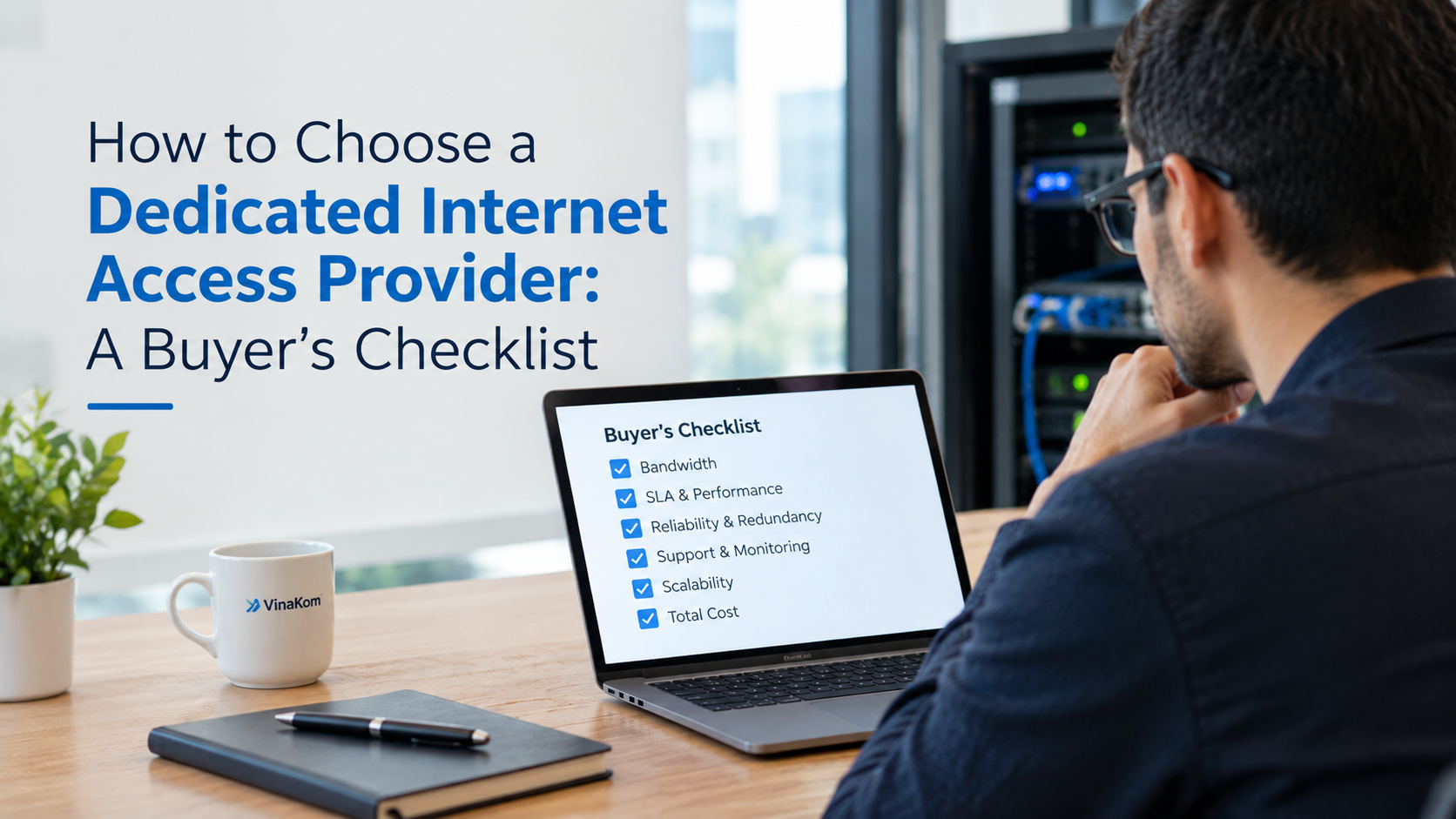
Buyer's Checklist: What to Look for in a Dedicated Internet Access Provider
This is where most quotes start to look identical on paper and stop looking identical once you ask the right questions.
1. Committed Bandwidth
Confirm the number you're quoted is committed, not just "up to." Ask what happens if actual throughput falls short, and whether that's covered under the SLA or left to interpretation.
2. Symmetrical Upload and Download Speeds
Upload speed used to be an afterthought. It isn't anymore, not with cloud backups, video calls, and site-to-site VPN traffic all pushing data outward as often as they pull it in. Confirm whether the circuit is symmetrical, and if not, what the upload allocation actually is.
3. SLA and Performance Commitments
This is the section most buyers skim and later regret skimming. Ask specifically about:
- Uptime commitment
- Latency and packet loss targets
- Jitter, if voice or video is a priority
- Mean time to repair for an outage
- Service credits if commitments aren't met
- The escalation path if the first level of support can't resolve the issue
Don't accept a generic "high uptime" claim. Ask for the number in writing and how it's measured.
4. Network Infrastructure and Coverage
Understand whether the provider owns the network delivering your service or resells capacity from someone else. A provider running its own fiber can usually speak specifically to route diversity, last-mile construction, and repair timelines. A reseller often can't, because that information sits with a carrier they don't control.
5. Reliability and Redundancy
Ask what actually happens if the primary connection fails. A second circuit only provides real redundancy if it runs a physically diverse path and fails over automatically. Two cables that both enter the building through the same conduit aren't redundant, they're a shared point of failure with an extra bill.
6. 24/7 Monitoring and Network Operations
A network operations center that's staffed around the clock catches degrading performance before it becomes an outage, correlating alarms, escalating to carriers, and executing changes during scheduled windows rather than in a panic. Ask whether monitoring is proactive or whether you're the one expected to notice the problem first.
7. Technical Support and Escalation
Find out who actually answers when something breaks. Is there a dedicated account contact who knows your setup, or a general queue? Is support available 24/7, and does the provider manage your router and equipment, or only the circuit up to a demarcation point? That distinction matters more than it sounds, because "not our problem" is a common answer when equipment ownership is unclear.
8. Managed vs. Unmanaged DIA
Unmanaged DIA hands you the circuit and leaves configuration, monitoring, and troubleshooting to your own IT team. Managed DIA includes the provider taking responsibility for the router, ongoing monitoring, and support. If you don't have in-house network engineering depth, managed service usually earns its cost back the first time something needs diagnosing at 11pm.
9. Scalability
Growth shouldn't mean a new circuit, a new install, and a new contract every time. Ask how bandwidth upgrades work on your current connection and what lead time to expect.
10. Installation and Migration Process
Before signing, ask about the site survey process, whether fiber is already present at your location or needs to be built, what equipment is included, how the cutover is handled, and what testing happens before the old connection is decommissioned. Don't accept a specific installation timeline as fact until it's confirmed for your address, since fiber builds vary widely by location.
11. Cloud and Multi-Site Connectivity
If your business runs on Azure, AWS, Google Cloud, or similar platforms, ask whether the provider offers private, direct connectivity to those clouds rather than routing everything over the public internet. For multi-site operations, ask about MPLS or SD-WAN options that treat all your locations as one managed network rather than a collection of separate circuits.
12. Total Cost, Not Just Monthly Price
Compare the full picture: monthly recurring cost, installation charges, equipment, any managed service fees, contract length, early termination costs, and what support is actually included versus billed separately. Two quotes with the same headline price can differ significantly once these are factored in.
Buyer's Checklist Table
| What to Check | Questions to Ask |
|---|---|
| Bandwidth | Is the bandwidth committed, or "up to"? |
| Upload speed | Is the service symmetrical? |
| SLA | What performance commitments are contractually guaranteed? |
| Uptime | What's the uptime commitment, and how is it measured? |
| Latency & packet loss | Are these monitored and covered under the SLA? |
| Redundancy | What happens if the primary connection fails? |
| Monitoring | Is the circuit monitored 24/7, proactively? |
| Support | Who handles an outage, and how does escalation work? |
| Managed vs. unmanaged | Does the provider manage the router, or only the circuit? |
| Scalability | How easily can bandwidth be upgraded later? |
| Installation | What's included, and what does the cutover process look like? |
| Contract | What are the term, renewal, and early termination conditions? |
Where VinaKom Fits
VinaKom owns and operates 1,500+ miles of fiber across Illinois, delivering Layer 2 dedicated internet access from 10Mbps up to 8Gbps without reselling someone else's network. That ownership is what lets us speak directly to route planning, repair timelines, and SLA terms rather than pointing to a carrier we don't control.
Every VinaKom customer gets one dedicated account manager and one Cisco-certified engineer who own the account end to end, from the circuit to the managed router to billing. Our 24×7 NOC monitors circuits proactively across Standard, Advanced, and Premium managed service tiers, and for businesses that need automatic failover, our Managed Internet Backup switches to a secondary connection during an outage without manual intervention.
For cloud-dependent operations, our Cloud Connectivity service provides direct, low-latency on-ramps to Azure, AWS, Google Cloud, Salesforce, SAP, and IBM. Multi-site businesses can unify locations under a single managed network through MPLS & SD-WAN with four-tier QoS.
If you're weighing a renewal or comparing quotes, a free network assessment from our engineers is a low-friction way to see how your current setup stacks up against this checklist before you sign anything new.
Frequently Asked Questions
Dedicated internet access (DIA) is an internet connection reserved exclusively for one business, rather than shared with other subscribers. It's typically delivered over fiber and offers consistent, symmetrical bandwidth regardless of time of day.
Compare committed bandwidth, SLA terms (uptime, latency, packet loss, repair commitments), whether the provider owns its own network, redundancy options, 24/7 support and monitoring, managed vs. unmanaged service, scalability, and total cost including installation and contract terms.
It depends on how much your operations rely on cloud tools, VoIP, video conferencing, or multi-site connectivity, and how costly downtime or slow performance would be. For businesses where any of that applies, DIA's consistency often justifies the higher cost over shared broadband.
Broadband shares bandwidth across multiple subscribers on the same line, so performance can vary at peak times. DIA reserves bandwidth exclusively for one business, delivering consistent performance and typically symmetrical upload and download speeds.
A meaningful SLA should specify uptime commitments, latency and packet loss targets, mean time to repair, service credits for missed commitments, and a clear escalation path. Ask for these in writing rather than accepting general reliability claims.
Symmetrical bandwidth is a common characteristic of fiber-based DIA, but it isn't universal. Confirm the specific upload speed with any provider rather than assuming it matches the download speed.
Ask whether the bandwidth is committed, whether the provider owns its network, what the SLA guarantees in writing, how redundancy actually works, whether support is 24/7, whether the service is managed, and what the total cost looks like beyond the monthly price.